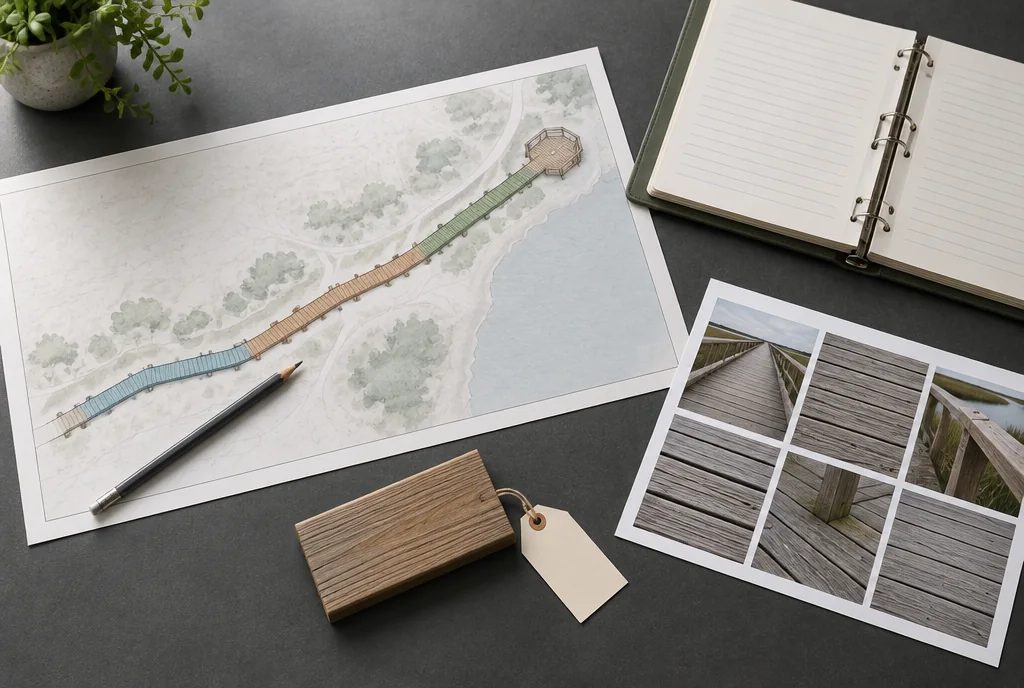
01 / REVIEW
Collect final references
Record accepted drawings, substitutions, product designations and receiving lots. Distinguish proposed information from what the project team confirms was installed.
02 / REVIEW
Organize by route
Use segment and interface identifiers to connect records. Include the relevant operations information and inspection plan without mixing it into a generic folder of unrelated product brochures.
03 / REVIEW
Set stewardship
Name the record owner and process for updates after repairs. Preserve previous revisions so a future team can understand changes in the installed surface.
Hand over the installed route, not the tender package
The original specification describes intent. The owner needs the accepted installed configuration, including approved substitutions and field revisions. Organize the handover by route segment and system so a future repair can identify the relevant record.
Keep profile drawings, accessory identities, finish instructions, accepted samples, replacement-stock information and access arrangements together. Mark historical proposals as superseded. Avoid a folder where several conflicting revisions look equally current.
Test the handover with a replacement question
Scroll sideways to read all columns. Keyboard: focus the table and use the arrow keys.
| Future question | Record needed |
|---|---|
| Which board fits here? | Installed profile and supplied identity |
| How does it attach? | Accepted connection and accessory references |
| How is this cover removed? | Access and sequence detail |
| Which finish was used? | Product and application record |
| What changed during construction? | Accepted revision history |
In a fictional handover review, the owner selects one access cover and asks the team to find its drawing, material and removal instructions. If that retrieval fails, improve the index before calling the archive complete.
Retain readable exports as well as editable source files. Explain where the controlled record lives and who updates it after repairs. The best closeout package makes later decisions easier without pretending that a stored drawing proves the current physical condition.
A segment record that answers a repair question
A route-wide product brochure rarely tells maintenance staff what is installed at a particular overlook or transition. Give each segment a stable identifier that appears on the plan and in the record index. Add local features such as access covers and interfaces without relying on a person’s memory of where “the new boards” begin.
For a hypothetical segment S-03, the record below is an index structure, not a statement about a built project. Replace every placeholder with the accepted project reference or explicitly mark it unresolved.
Scroll sideways to read all columns. Keyboard: focus the table and use the arrow keys.
| Record field | Illustrative index entry | Use during a future repair |
|---|---|---|
| Location | S-03; east overlook boundary on current plan | Find the affected surface |
| Installed board identity | Accepted schedule line and final profile drawing | Identify replacement geometry without guessing |
| Receiving link | Receipt R-07; bundle identifiers and allocation | Trace the supplied material |
| Attachment reference | Final accepted connection detail and exact hardware record | Locate the installation basis |
| Changes | Revision log entry C-04; affected boundary | Distinguish original and altered work |
| Access and operations | Relevant removal, access and inspection instructions | Plan the work without losing the service context |
| Outstanding items | Named unresolved issue, owner and disposition | Keep incompleteness visible |
Test retrieval with someone who did not assemble the archive
Ask a maintenance colleague to select a segment on the plan and find its installed profile, connection reference, finish record and applicable inspection information. Record what cannot be located or what conflicts. This is a practical usability test of the archive; finding a file is not verification that its contents match current physical conditions.
Then ask for one earlier revision. The colleague should be able to identify why it was superseded without accidentally using it as the current instruction. Keep a clear current index and a separate revision history. Merely appending “final” to several filenames does not establish which one controls.
Update the installed record after a replacement
Suppose six boards in S-03 are replaced from a new accepted batch. Record the repair boundary, date, quantities, new receipt reference and any approved detail change. Retain the original record for the rest of the segment. Do not relabel the entire segment with the new batch when most of its boards are unchanged.
Keep the owner’s operational decision separate from the archive update. A complete repair record does not itself reopen a closed route or approve public access. Link the applicable inspection or acceptance decision made by the responsible project role. The inspection-log guide covers recording observations and follow-up.
At handover, identify the owner of the controlled record, its storage location, access arrangements and update procedure. Include readable copies of essential information alongside editable files. A future operator should not need an unavailable specialist application just to identify the installed board or locate an outstanding issue.
A public-route planning scenario
Concept example: a repaired overlook uses an approved replacement batch. The closeout archive adds the new lot and repair boundary while retaining the original segment record.
Use the result
Keep the completed review with the relevant project record. Assign unresolved items before relying on a conclusion. If the material, condition or document changes, revisit the affected questions.
Boardwalk plannerTechnical references
General background for the subject. Project worksheets and fictional situations are original review aids, not official agency forms.
Access Board: floor and ground surfaces